
Suppliers, purchasing & stock
Know your margin, and who's cheapest, on every part.
Import the price list each supplier sends you. FireFlow shows your cost, sell price and margin side by side, flags when someone else sells it for less, and turns it all into purchase orders linked to your jobs.
Supplier price lists
Every supplier's prices next to yours.
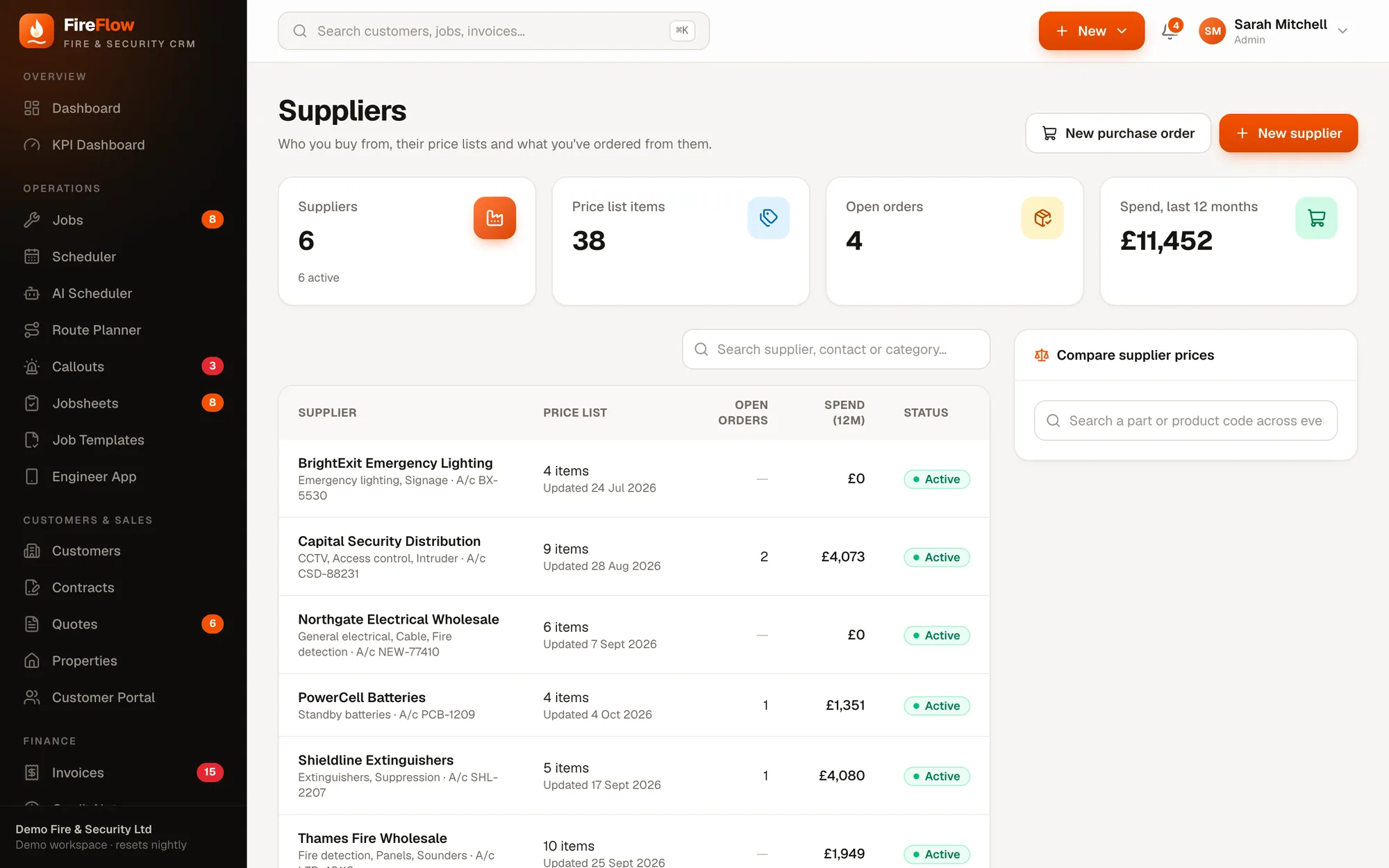
Each supplier has its contacts, your trade account number, payment terms and what they supply. Their price list sits right alongside.
- 1Your cost, with price changesRed or green arrows show what moved at the last import.
- 2Your sell price and marginWhen the part is on your own price list. Margins under 20% are highlighted.
- 3Cheaper elsewhereFlags when another supplier sells the same code for less.
- 4Add to price listCopy a supplier item onto your own price list at the markup you choose.
- 5Import price listUpload the CSV they send you.
- 6Put on holdStops new orders being placed with that supplier.
Import
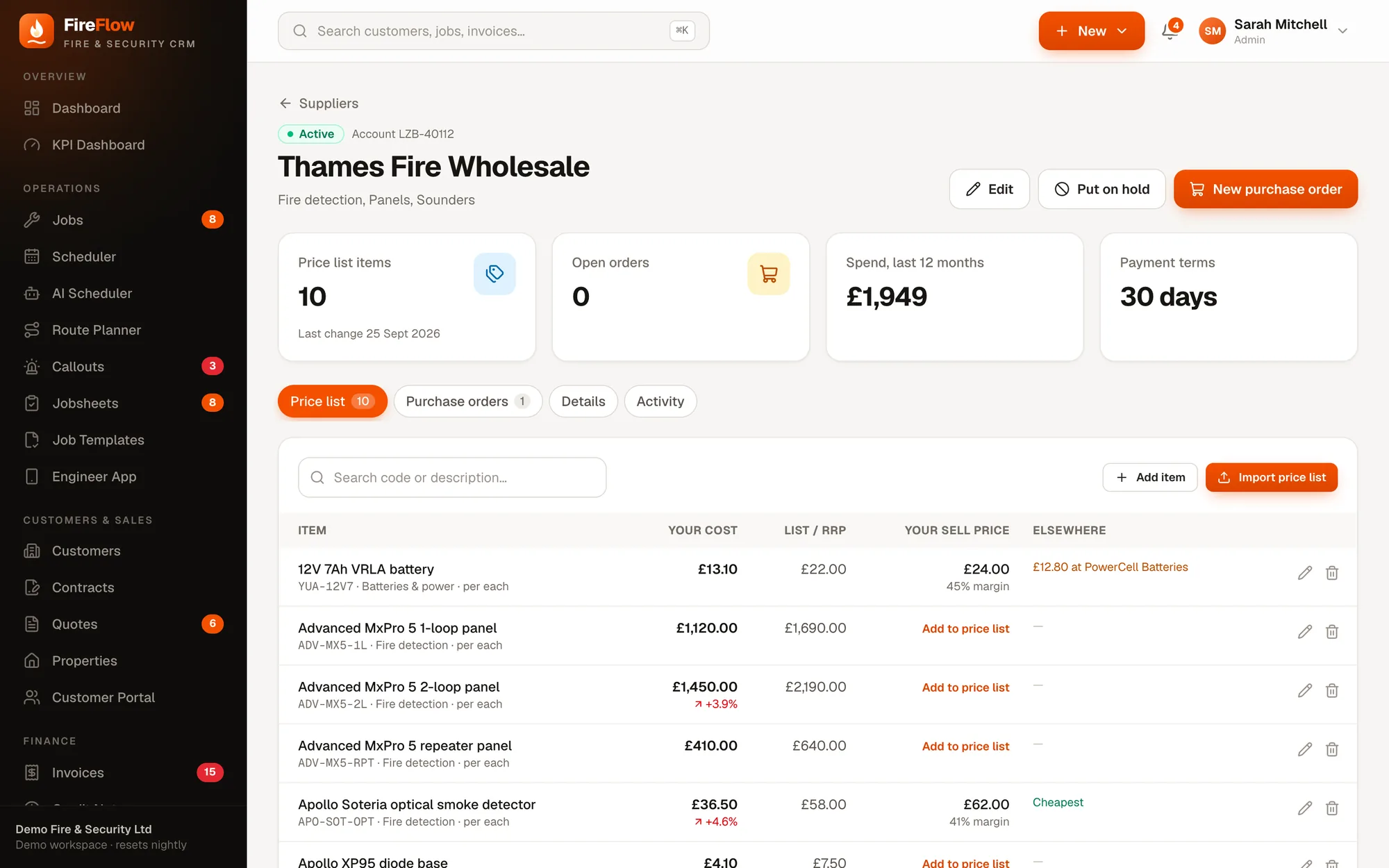
Next year's price list? Just import it again.
Upload the CSV a supplier sends. FireFlow matches the columns automatically, and because items are matched on product code, re-importing updates prices instead of creating duplicates.
- Product code, description and cost required; list price, unit and category optional
- Optionally update the cost price on your own price list too
- Your sell prices are never changed
- A summary of new items, price rises, price drops and skipped rows
Compare supplier prices
One search across every supplier.
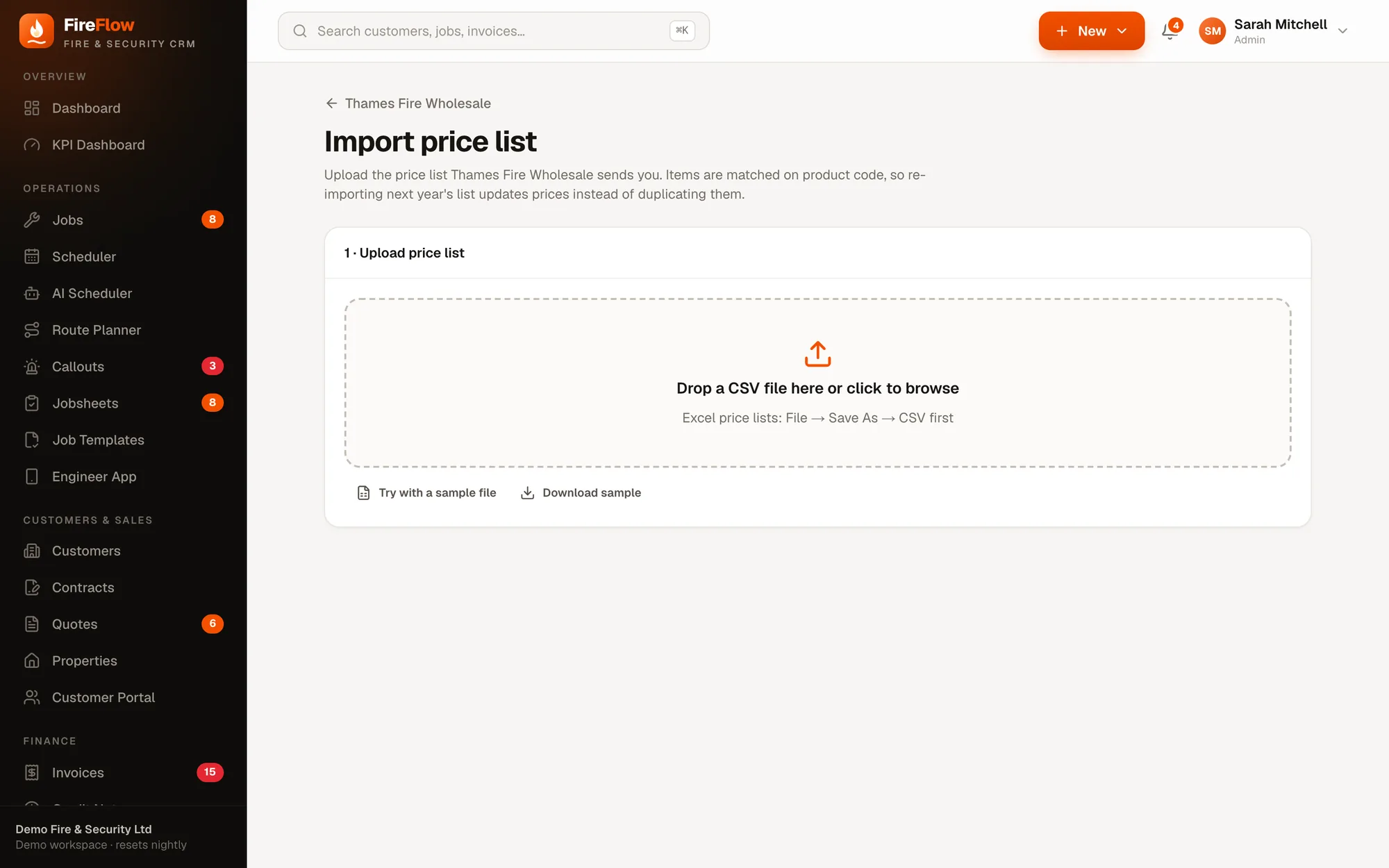
Search a part or product code and FireFlow lists it from every supplier's price list, cheapest first, with when each price was last updated.
Shown: a 12V 7Ah battery in FireFlow's demo data, sold by three suppliers.
Purchase orders
Order parts straight from the job.
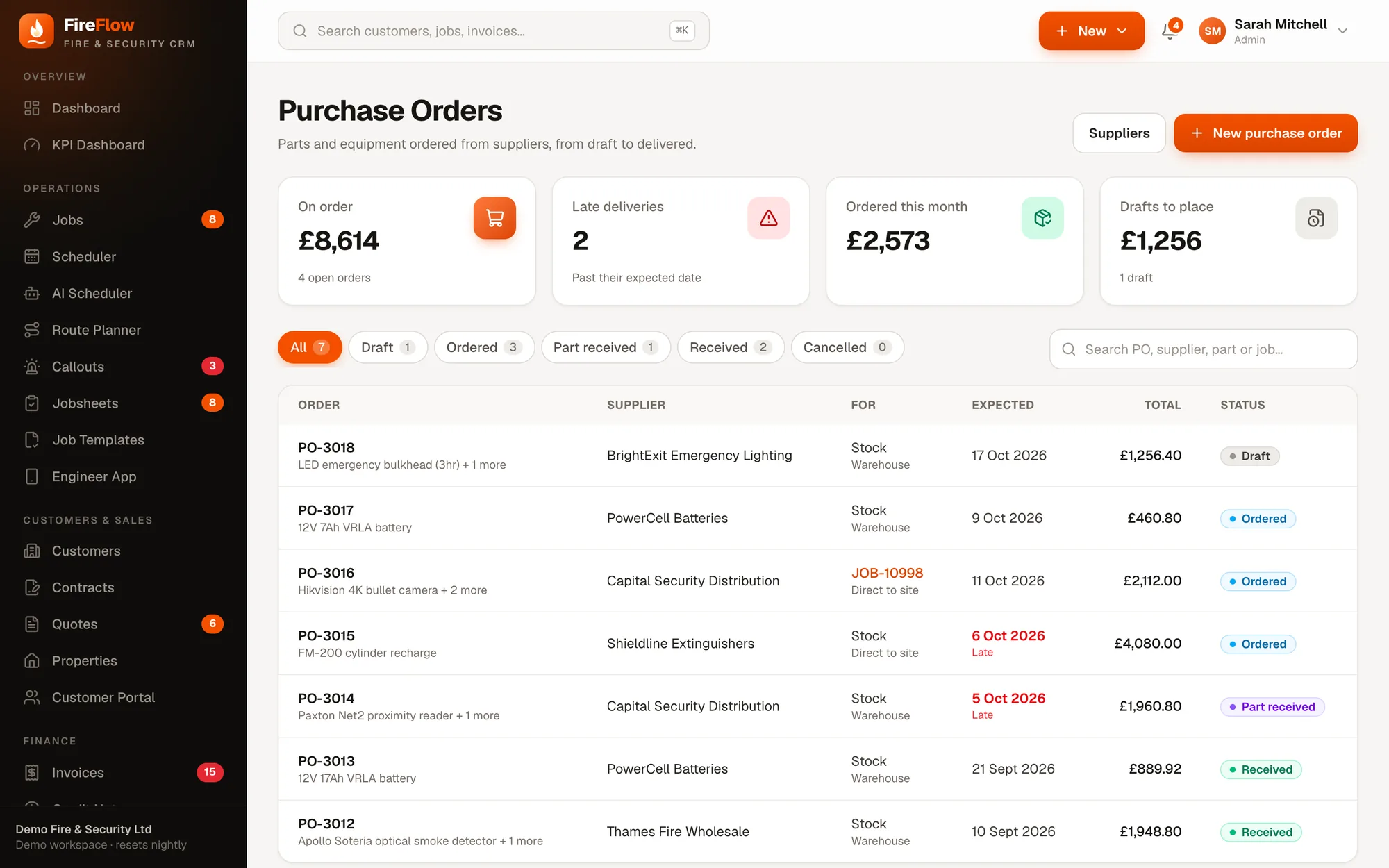
Pick a supplier and add lines straight from their price list, or hit Order parts on a job. Deliver to the warehouse, an engineer's van or direct to site.
- 1Late deliveriesOrders past their expected date are flagged.
- 2Spend this monthWhat's on order and what's been ordered.
- 3Every status at a glanceDraft, ordered, part received, received or cancelled.
- 4Linked to jobsOrders for a job show on that job as parts on order.
Deliveries can arrive in parts.
Receive what actually turned up. Anything short stays on order, and parts delivered to the warehouse are added to stock automatically.
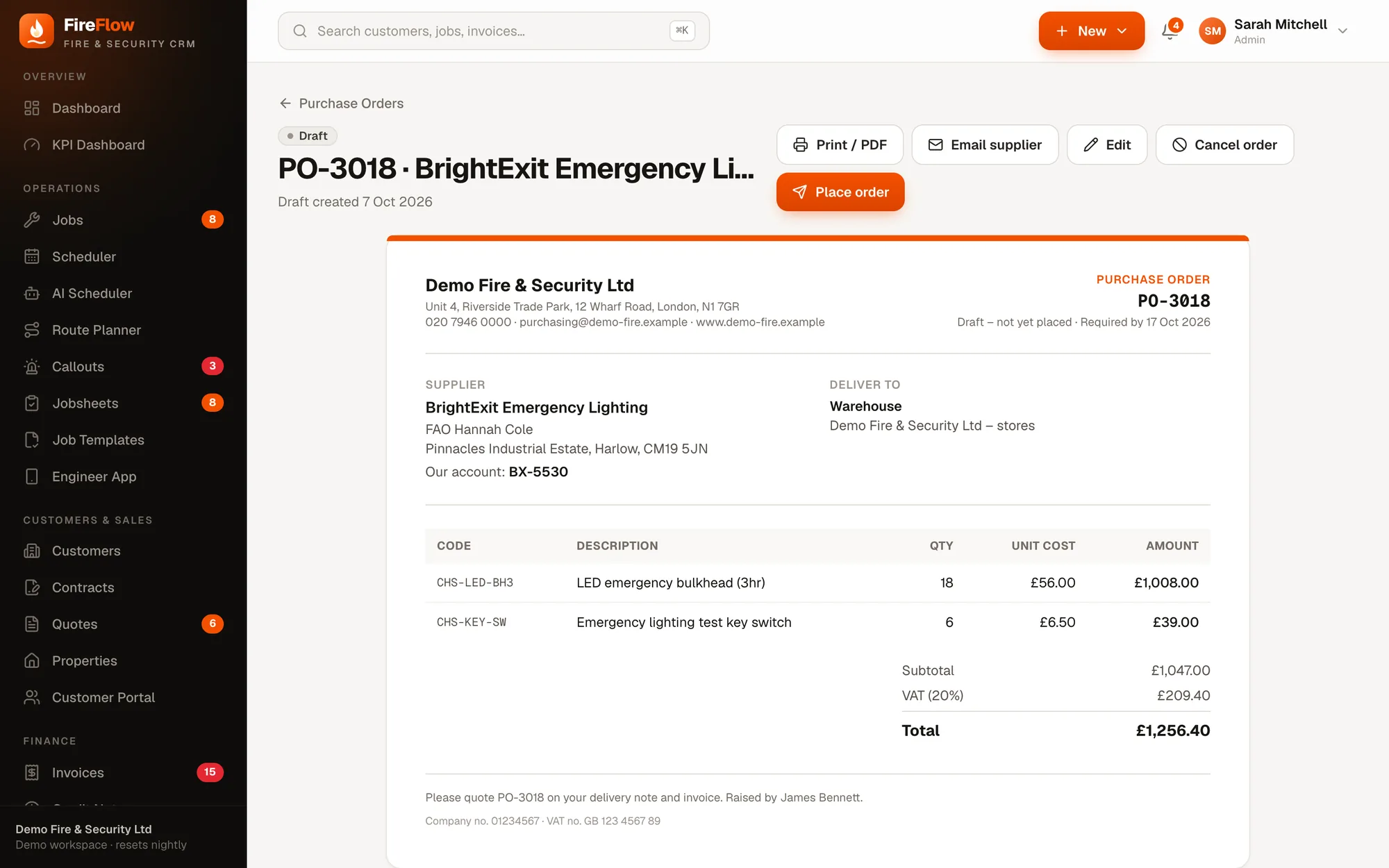
A proper purchase order, in your name
Your company details, the supplier and your account number with them, where it's being delivered, and the order lines with VAT. Print it, save it as PDF or email it to the supplier.
Stock
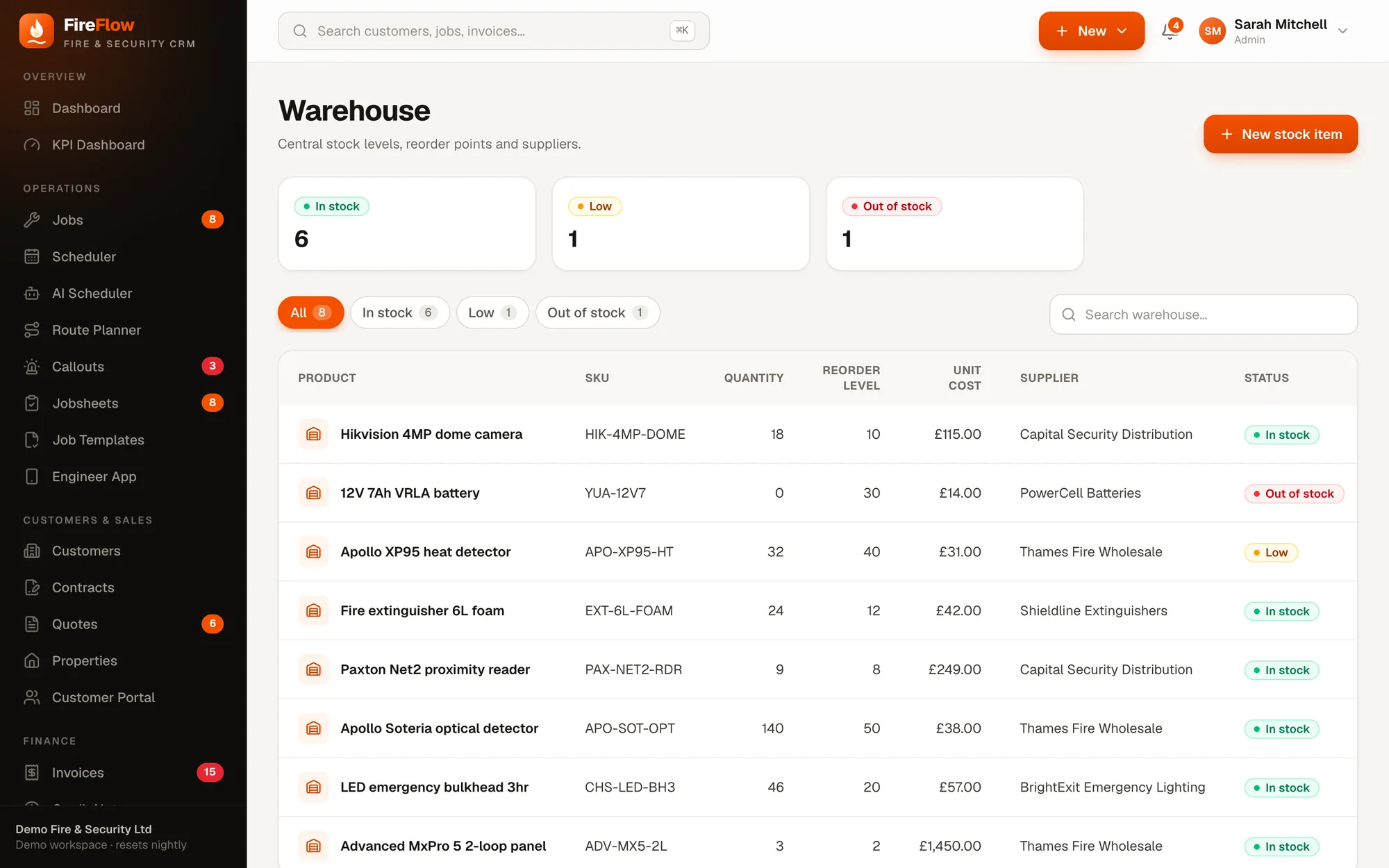
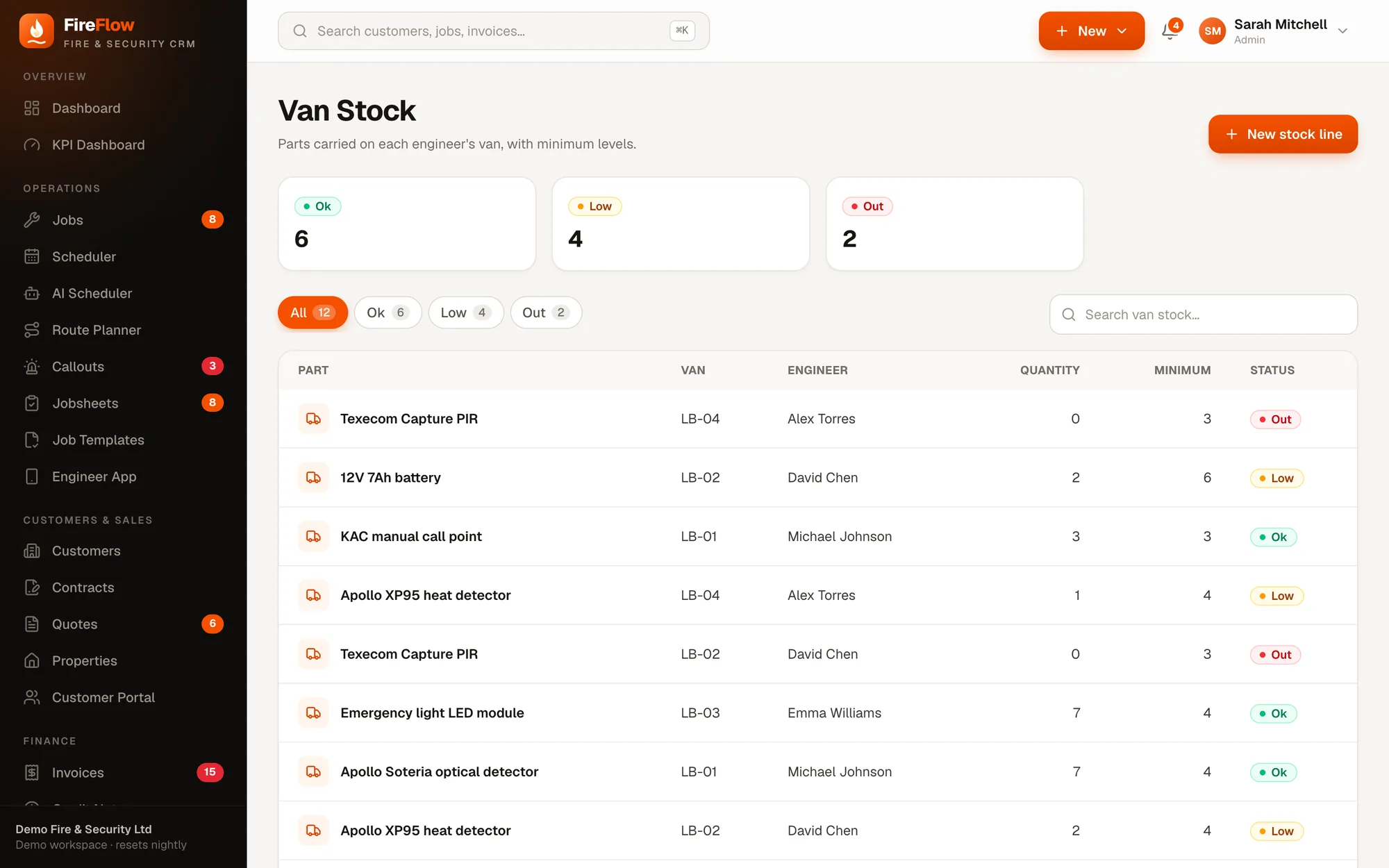
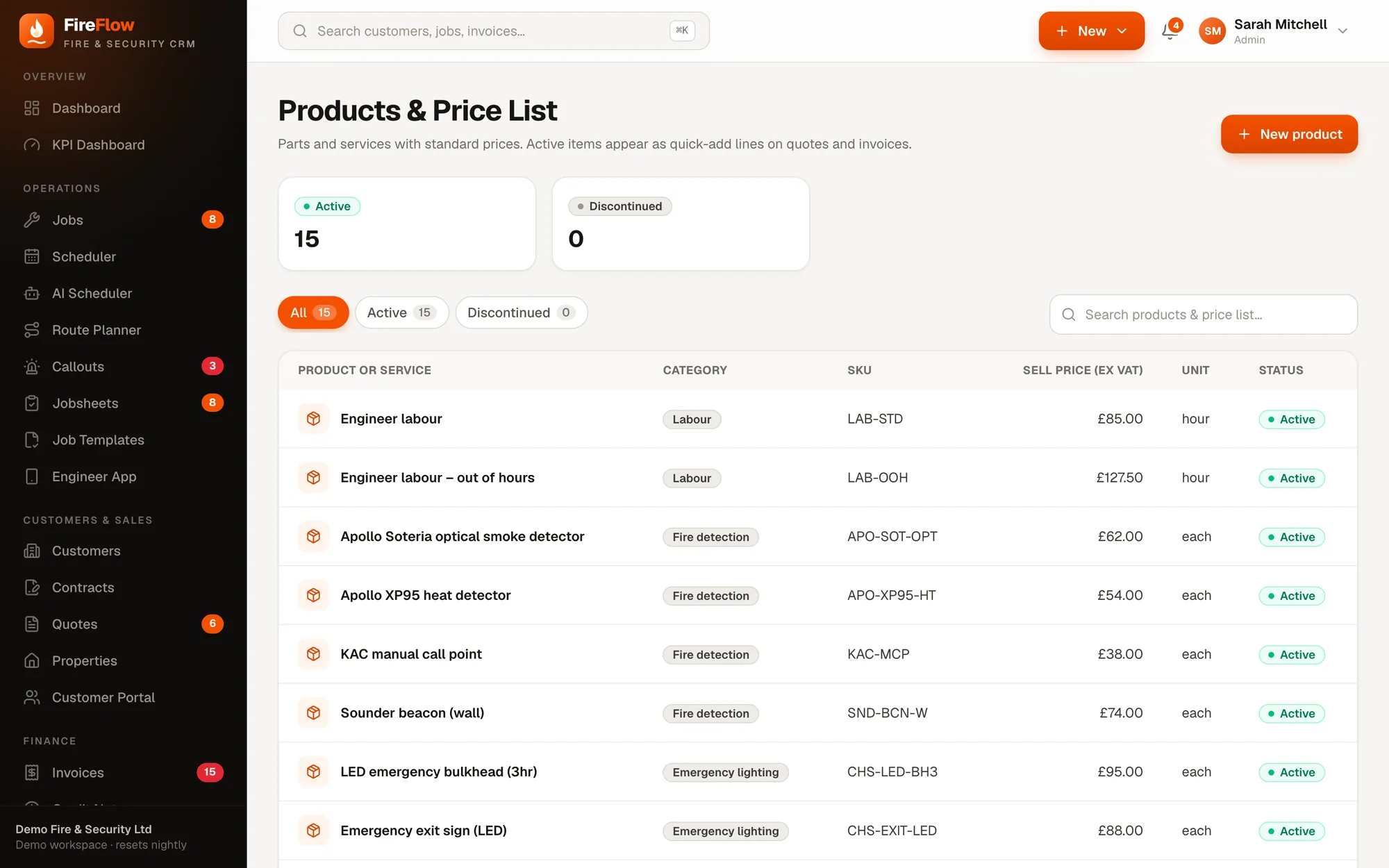
Warehouse, vans and your own price list.
See it on your own work
Bring a real job. We'll run it through FireFlow live.
A 20–30 minute walkthrough shaped around your company: your callouts, your contracts, your engineers. Then we'll talk about what it would look like for you.